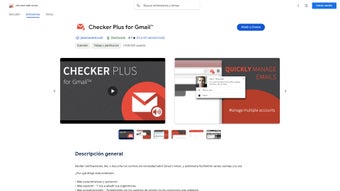

Download Checker Plus – Free Gmail Notification & Management Extension
Overview
Checker Plus for Gmail is a lightweight Chrome extension that transforms the way you interact with your Gmail inbox. By delivering real‑time desktop notifications, pop‑up previews, and one‑click actions, the tool lets you stay on top of new messages without the need to keep Gmail open in a separate browser tab. Whether you’re juggling multiple accounts, need to filter out promotional noise, or prefer audible alerts, Checker Plus offers a secure, free, and constantly updated solution that integrates seamlessly into your daily browsing workflow. Its intuitive interface works directly from the Chrome toolbar, giving you instant access to read, archive, delete, or reply to emails while you continue working on other tasks. This makes it an essential productivity‑boosting app for professionals, students, and anyone who relies heavily on email communication.
Key Features & Benefits
- Real‑time desktop notifications for new Gmail messages.
- Pop‑up preview window that lets you read, archive, delete, or reply without opening Gmail.
- Support for multiple Gmail accounts and automatic detection of logged‑in addresses.
- Customizable folder notifications – mute Promotions, Social, or Updates as needed.
- Sound alerts with optional text‑to‑speech for incoming messages.
- One‑click actions for starring, marking as read/unread, and moving emails to labels.
- Dark mode support for low‑light environments.
- Secure handling of credentials – no password is stored locally.
Pros
- Instant notification saves time and reduces the need to switch tabs.
- Highly customizable – users can tailor alerts to the most important folders.
- Works offline for already cached messages, ensuring you never miss a critical alert.
- Free with regular updates that keep pace with Gmail’s UI changes.
- Lightweight footprint; minimal impact on browser performance.
Cons
- Only available for Chrome‑based browsers; no native Windows/Mac app.
- Advanced filtering (e.g., custom label rules) requires manual setup.
- Voice reading feature may be less accurate for non‑English messages.
Installation, Usage & Compatibility
Getting started with Checker Plus is straightforward. Follow these steps to install and begin managing your Gmail efficiently:
- Open the Chrome Web Store and search for “Checker Plus for Gmail.”
- Click Add to Chrome and confirm the permission prompt.
- Once installed, a small envelope icon appears next to the address bar.
- Click the icon to open the extension’s settings panel. Sign in with the Gmail accounts you want to monitor.
- Configure notification preferences – choose which folders trigger alerts, set sound options, and enable text‑to‑speech if desired.
- Use the pop‑up preview by clicking any new‑mail notification; from there you can reply, archive, delete, or apply labels without leaving the current webpage.
Checker Plus is compatible with any operating system that runs a Chromium‑based browser, including Windows 10/11, macOS, Linux, and Chrome OS. The extension also works on Android and iOS devices that support the Chrome browser, though the full feature set (especially pop‑up previews) is optimized for desktop environments.
Because the extension runs entirely within the browser sandbox, it does not require additional software installations, and updates are applied automatically through the Chrome Web Store, ensuring you always have the latest security patches and feature enhancements.
Frequently Asked Questions
Is Checker Plus free or does it require a subscription?
Checker Plus is completely free to download and use. The developer offers optional donations, but all core features—including notifications, pop‑up previews, and multi‑account support—are available at no cost.
Can I use Checker Plus with multiple Gmail accounts simultaneously?
Yes. The extension automatically detects every Gmail account you are logged into within Chrome. You can switch between accounts in the settings panel and enable separate notification rules for each inbox.
How does the extension ensure my email credentials remain secure?
Checker Plus never stores passwords. It uses OAuth tokens provided by Google, which are encrypted and kept within Chrome’s secure storage. This means your credentials are never exposed to the extension’s code.
Can I customize the sound alerts or use my own audio files?
Yes. Within the notification settings you can select from built‑in sounds, upload custom MP3 files, or enable a silent mode. The interface also lets you adjust the volume and choose whether to read the subject line aloud.
Does Checker Plus work on browsers other than Chrome?
Officially, the extension is built for Chrome and Chromium‑based browsers such as Edge, Brave, and Vivaldi. While it may function in other browsers that support the Chrome Web Store, full compatibility and support are guaranteed only for Chrome‑derived platforms.
Conclusion & Call to Action
Checker Plus for Gmail delivers a polished, secure, and feature‑rich experience for anyone who wants to stay on top of their inbox without sacrificing productivity. By combining instant notifications, a powerful preview window, and deep customization options, the extension eliminates the constant tab‑switching that slows down modern workflows. Its free price point, regular updates, and cross‑platform compatibility make it a compelling choice for both power users and casual email checkers. If you’re ready to streamline your email management and keep your focus where it belongs, click the download button below and add Checker Plus to your Chrome browser today.
Download Checker Plus now and experience a faster, cleaner way to handle Gmail.
Overall Rating: 4.5/5
Pros: Real‑time alerts, multi‑account support, customizable sounds, free.
Cons: Chrome‑only, limited advanced filtering.







